Yono TV APK
Yono TV APK offers the most recent news on cricket and football, including score updates, match information, fixtures, and highlights.
Security Verified
Yono TV
Yono TV is a live sports TV streaming app for Android. Moreover, it was designed for people that want instant access to matches, sports channels and schedules on phone/tablet and turn quickly around. Also, the mission of the app is to keep things simple. In addition, watch live sports with good video quality and less lag time. This app is primarily used for streaming live sports events like football, cricket etc. Moreover, it provides users a quick means to open live matches, view upcoming fixtures and find replays.
One major factor that gives Yono TV APK Download its value is its ability to modify video playback depending on the internet speed. On a good connection, stream quality can be higher. Moreover, on a bad connection, the app can reduce quality so that the match keeps playing instead of stopping every few seconds. That factor is so important during an exciting final because nobody wants to wait in a buffer during an important goal. Also, navigation is clear and simple with areas for live, schedule and search details.
What is Yono TV APK?
Watching sports is a way to get out of the daily hectic routine for many users. Also, you may not always find a TV nearby. Don’t worry though we have what you are looking for. Moreover, with this app we have what you need for Android platforms. In addition, you don’t require a TV to watch the games now. Just head over and download this top of the line app. Moreover, it has a very easy to use interface which also gives you access to live sports and past match highlights.
Furthermore, the outstanding feature of Yono TV APK Latest Version is that it is ads free. Furthermore, it is a great thing for sports fans that prefer not to see ads during live view. In addition, it has coverage of the FIFA World Cup, the ICC World Cup, racing, wrestling, BPL, and IPL. Also, it presents to you action from the Euro Cup, Copa America, La Liga, English Premier League and many more global tournaments all in one place.
Unique Features of Yono TV
Yono TV is a streaming app for sports fans that don’t want to miss live cricket or any other sports action. Moreover, we have detailed below the top features of the app.
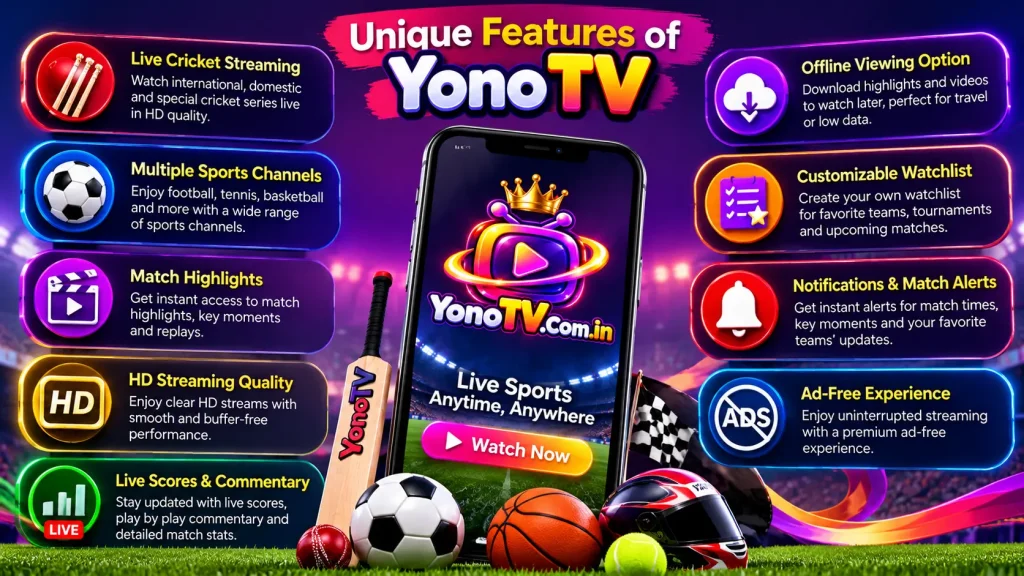
Live Cricket Streaming
It features international tournaments, domestic leagues and special cricket series live streams. Moreover, it has smooth and high quality playback that is almost buffer free. Also, you are able to change the video quality as per your internet speed.
Multiple Sports Channels
In addition to cricket we also offer a wide range of sports coverage. Also, it includes football, tennis, basketball and more. Moreover, Yono TV APK Online constantly adds new channels and switching between them is easy. Furthermore, it presents to you a portable sports hub for all your sports needs.
Match Highlights
Missed a live cricket session? Also, go to Yono TV for immediate access to match highlights right after it goes off. Moreover, we have you covered for all that happened in the match, from sixes to wickets to key turning points. Also, it has organized matches, teams, and players for easy viewing.
User-Friendly Interface
It has a very simple and clean design which in turn makes it very easy for any user to navigate. Also, navigation is smooth and you will be able to find live matches, channels, or highlights in just a few taps with no confusion.
HD Streaming Quality
The app is great for HD streams which in turn provides clear picture quality and smooth performance. Further, each update of the match is defined clearly and very engaging. Also, we have included a feature to change resolution at any time according to your internet speed for a superior experience.
Live Scores and Commentary
Stay tuned for live scores, play by play commentary, and in depth match stats. In addition, if you can’t watch the game live we still keep you in the action with updates. Also, Yono TV APK Premium brings to you player info and match insights which add to your experience.
Offline Viewing Option
When connectivity is an issue, you can download the highlights and videos which will play later. Also, this feature is a great asset during travel or when data is sparse which in turn means your entertainment is not broken off.
Customizable Watchlist
You have the option to create your own watchlist that includes your favorite teams, tournaments, or upcoming matches. Furthermore, this is a feature which also allows you to easily view and manage your preferred content.
Notifications & Match Alerts
It breaks out with instant alerts for match times, key moments, and your favorite teams’ updates. Also, in Yono TV APK Update you may customize what you get notified of which in turn means you’ll be in the know even when you aren’t using the app.
Ad-Free Experience
The Premium version of the app is commercial free. Also, you’ll see that the app performs better, navigation is smoother and you get uninterrupted stream for a better viewing experience.
How to Install Yono TV APK on Android?
Yono TV is a third party Android app which is why you won’t find it on the Google Play Store. Getting an app onto any Android device is easy and clean. See the steps below:
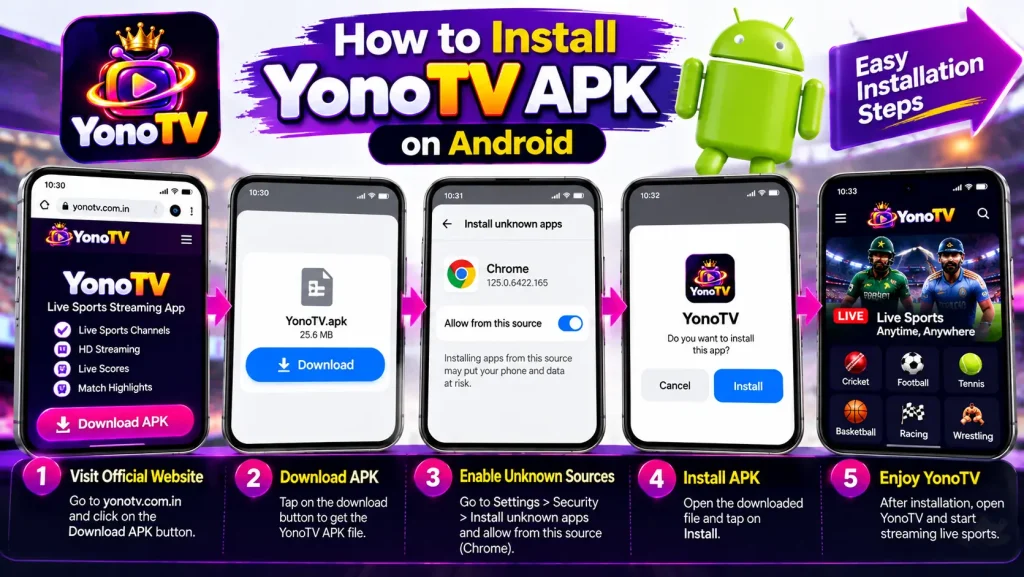
- Click through the “Download” link at the top to get to the APK download page.
- Tap the “Get App” button which is also present on that page to start the APK download.
- Wait for the download to finish.
- Presently go to your device’s storage and find the Yono TV APK for Android file.
- Tap the APK file to begin the process.
- If you are prompted do “Unknown Sources” in Settings under Security or Privacy which is to allow installation of apps from outside the store.
- Wait until the installation is complete, do not stop the process.
- Once done just tap on the app icon which will open the app and you can start watching your favorite sports right away.
Download and Install Yono TV to PC or Laptop.
If you wish to enjoy the app on a larger screen, you can run it on your PC or laptop via an Android emulator.
Choose a Reliable Android Emulator
Download and run a trusted emulator from their official sites. Also, which include BlueStacks, Gameloop, or MEmu Play.
Install the Emulator
To install your selected emulator on PC follow these on screen instructions.
Set Up the Emulator
Launch the emulator. Once up and running you’ll see the Android interface. In addition, go and open the Google Play Store, then install the Chrome browser.
Download the APK
In the emulator use Chrome to go to the official Yono TV for PC website and download the latest APK.
Install the App
Once you download it, open the APK file and go through the installation processes for Yono TV in the emulator.
Launch App
Upon launch, open the app from the emulator’s home screen and begin to stream your favorite live sports immediately.
How to Download Yono TV For Smart TV (Android TV)?
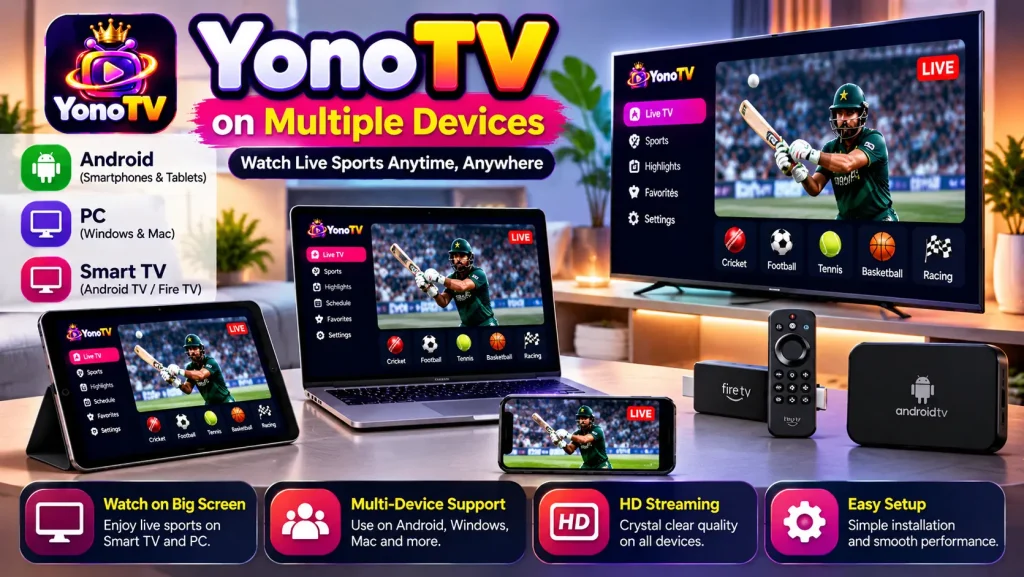
If you have a Smart TV or Android TV you can easily load the Yono TV APK New Version onto it. And watch live cricket matches or many other sports in 4K quality on a large screen. Furthermore, do as follows:
- Download the app to your computer or smartphone.
- Transfer the APK file to a USB stick.
- Plug in your Smart TV and check that it is connected to the net.
- Go to Settings and open Security Restrictions and turn on “Unknown Sources.
- Now, plug in your USB drive to the TV’s USB port.
- In your TV go to the File Manager and find the TV APK file.
- Copy and paste the APK file to your TV’s internal storage.
- Tap the APK file and follow the in screen instructions to install.
- Once you install it, go to your TV’s app list and experience live cricket, football, and other sports in amazing HD and 4K quality right from your couch.
Popular Channels on Yono TV
It provides a large choice of TV channels which streams cricket and other popular sports. Yono TV APK Login has dedicated cricket channels where you can watch international and domestic matches from all over the world. Also, some of the best cricket channels we feature include:
Cricket-Specific Channels
- Star Sports (all variants)
- Sony Six
- Sony Ten (all variants)
- Willow TV
- Sky Sports Cricket
- PTV Sports
- Sport TV
- Ten Sports
- Geo Super
- Fox Sports Cricket
General Sports Channels
- ESPN
- SuperSport
- BT Sport
- Sky Sports Main Event
- Eurosport
- BeIN Sports
- SportsMax
- Astro Cricket
- DD Sports
- Channel 9
Yono TV Sports Categories
The sports available depend on the specific Yono TV version. Also, current descriptions identify several categories, including:
Football
Football is at the core of Yono TV APK Old Version content. Moreover, it has coverage of fixtures, scores, results, standings as well as other match info.
Cricket
Cricket coverage includes results, scores and schedules that are of great value to our users. Also, which we see in the case of international and domestic tournaments.
Basketball
Some have basketball scores, also included are schedules and statistics.
Tennis
Tennis events and live match coverage included in the Live Sports Events.
Hockey
Hockey action and competition coverage also included in that version.
Is Yono TV Safe to Use?
Yes, Yono TV APK 2026 is a safe choice for you. Moreover, the app comes with built in malware protection and advanced encryption to protect your private data and bring you a secure streaming experience. Also, it does not collect or require any of your personal info. In addition, it means you have full privacy as you enjoy your sports.
Moreover, it is always improving our security features which in turn protects against all types of threats. Further, we have put in end to end encryption, firewalls, and intrusion detection systems that are constantly working for you. Also, with each update we include fixes to bugs and improvements in performance so you get a better, more reliable stream.
Alternatives to Yono TV
Flashscore
Flashscore is a one stop shop for sports news. Also, they report on live scores, results, standing of the games, and also past matches. Furthermore, this Alternative to Yono TV is the place to go for whichever sport you may be interested in.
SofaScore
SofaScore reports live scores and in depth sports statistics which go beyond the basic match results. Moreover, it is also useful for users that seek out more info.
FotMob
FotMob is very much into football which they stream on in terms of fixtures, live scores, results, standlings, and stats.
LiveScore
It has Live Results reports on scores, schedules, results and sports news from many competitions. Also, Yono TV APK App is free to use.
ESPN
ESPN provides sports scores along with news, schedules, results and in depth sports coverage. Also, what is made available to you may vary by region.
Tips for Streaming Sports on Yono TV
To get the best out of your Yono TV do these simple tips:
- Keep your app updated for the best feature set and performance.
- Go full screen for an improved sports experience.
- Join our live chats to connect with other sports fans and share in the moment.
- Moreover, if you experience lag or playback issues do a restart of the app.
- Reach out to us for technical help or with any of your app questions.
Common Yono TV Problems
Yono TV Is Not Updating
The preeminent cause of missed updates is an unstable internet connection or issue with the application’s data source.
Yono TV is not broadcasting a match.
Not all applications cover competitions. Also, see if your version includes the particular league or tournament.
APK Will Not Install
APK may not be compatible with your Android version. Also, it may be corrupted, incomplete or blocked by Android security settings.
Pros and Cons
Pros
- Free to use, no subscription needed.
- HD streaming without buffering.
- Simple UI and lightweight.
- Notify of upcoming matches and tournaments
- Supported the 4K high-quality view
- Regular updates include new content and bug fixes.
Cons
- Not present on the Google Play Store.
- Requires manual installation of APK.
- I need a stable internet connection.
- Not available for iPhone
- Streaming problems in the regions of which areas.
- Some ads in this app will bother you.
Conclusion
Before the release of Yono TV APK Latest Version, people had to look for ways to watch live sports on their mobile devices. Also, fans used to pay for premium matches and tournaments. Moreover, now that’s all over Yono TV consolidates all big sports events in one app now. Furthermore, you can watch Star Sports, Sony Sports, Sky Sports and many more channels just the way you want.
Also, whether it’s FIFA, ICC Cricket World Cup or IPL Yono TV Mod APK keeps the live action for you. In addition, try this app free time for entertainment now. Moreover, don’t forget to share this with your friends and give your feedback as it will improve Yono TV for all sports fans.